Tuesday, July 9, 2013

K-9 Mail v4.505 (K9Mail)

K-9 Mail v4.505 (K9Mail)

Requirements: All Android v2.2+
Overview: K-9 Mail is an open-source e-mail client with search, IMAP push email, multi-folder sync, flagging, filing, signatures, bcc-self, PGP, mail on SD & more!

K-9 Mail v4.505 (K9Mail) K-9 Mail v4.505 (K9Mail)
K-9 Mail is an open-source e-mail client with search, IMAP push email, multi-folder sync, flagging, filing, signatures, bcc-self, PGP, mail on SD & more!
K-9 supports IMAP, POP3 and Exchange 2003/2007 (with WebDAV).
K-9 is a community developed project. If you're interested in helping to make the best email client on Android even better, please join us! You can find our bugtracker, source code, mailing list and wiki at _http://k9mail.googlecode.com.
We're always happy to welcome new developers, designers, documenters, bug triagers and friends.
If you're having trouble with K-9, please report a bug at _http://k9mail.googlecode.com rather than just leaving a one-star review. We don't mind you telling the world that you're frustrated, but if you use our bug tracker, we have a better chance of fixing whatever's giving you a hard time.
You can find K-9's release notes at: _http://bit.ly/new-k9
(People sometimes call K-9: K9, K9 Mail, K-9 Email, K9 Email, K9 E-Mail, k9mail or k9email.)
Recent changes:
K-9 Mail 4.200 is a major new release featuring 9 months of new features, bug fixes, performance improvements and other awesomeness.
As this is a ".0" release, we're especially interested to hear about any new issues you encounter in this version. You can report them at
_http://code.google.com/p/k9mail/issues/list
We're hard at work on a Jellybean style UI, message threading, better autoconfig and other great stuff for K-9 5.0
_https://github.com/k9mail/k-9/wiki/ReleaseNotes has full details
Visit Website
Less description »

This app has NO advertisement

More Info:

Code: https://play.google.com/store/apps/details?id=com.fsck.k9

Download Instructions:

http://ul.to/cs34hdpd

Mirror:

http://extabit.com/file/28cnkiwltl1cm


Horoscope HD Pro v1.30

Horoscope HD Pro v1.30
Requirements: Android 1.6+
Overview: The cutest horoscope application for your Android device!

Horoscope HD Pro v1.30
 
Every morning get your daily horoscope from astrology-planet.com in this wonderful application:
- Horoscope for today and tomorrow licensed from a renowned swiss astrology center
- Exclusive in PRO Version: get a full week of predictions!
- Awesome graphics and very simple to use
- Share your horoscope via e-mail, twitter or facebook
- Works without connection (you only need to connect once a day)
- Available in 20 languages, translated by professionals !
Try it ! It is simply the best at what it does. No wonder it has been downloaded by so many users.
Includes astrological predictions for all zodiac signs, each with 3 decanates:
- Aries, Taurus, Gemini, Cancer, Leo, Virgo, Libra, Scorpio, Sagittarius, Capricorn, Aquarius, Pisces
Available in the following languages:
- Arabic, Chinese, Danish, Dutch, English, French, German, Greek, Hebrew, Italian, Japanese, Korean, Portuguese, Russian, Spanish, Swedish,Turkish, Polish, Hindi
What's in this version : (Updated : Jul 4, 2013)
Added Google + support
Bug fixes

Fixed translation errors

More Info:

Code: https://play.google.com/store/apps/details?id=ch.smalltech.horoscope.pro

Download Instructions:

Horoscope HD Pro v1.30.rar (3,32 MB) - uploaded.net

Mirror:

Horoscope HD…rar (3,32 MB) - cloudzer.net


System Monitor v1.2.2.2

System Monitor v1.2.2.2
Requirements: 4.0 and up
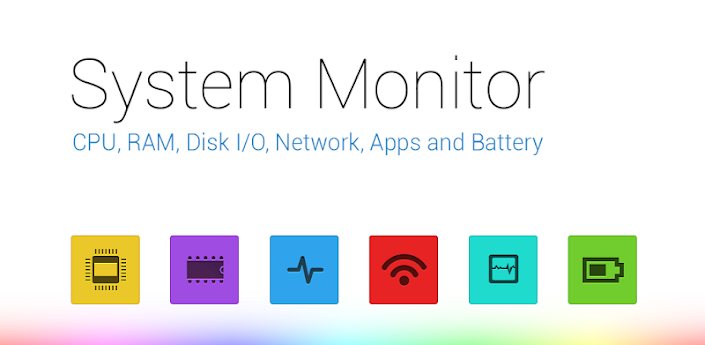
Overview: The most beautiful and versatile System Monitor for Android. This application provides real time system load statistics in the form of text and graph.

System Monitor v1.2.2.2
 System Monitor v1.2.2.2

This app is a full 5 in 1! You will be able to monitor CPU,RAM,I/O,Network and TOP APPS from
- Main app
- Notification bar
- Floating app
- Widgets, including DashClock extensions
You will be able to configure lots of nice features, such as:
-The update interval in order to spare system resources.
-Choose to either monitor total cpu usage or individual cpu cores!
WARNING: Expanded notifications only works on Jelly Bean+
Misc:
- Help translating! https://github.com/cgollner/systemmonitor-translations
Graphics:
- Feature graphics made by John X Designs #
What's in this version : (Updated : Jul 6, 2013)
Updated:
Language files
Slight improvement in the battery algorithm
Fixed:
Show system processes (FULL Version)
Some Crashes
Some text colors on older Android versions

New:
Option to disable battery history service
Option for notification priorities (FULL Version)
Widget performance improvement (FULL Version)

More Info:

Code: https://play.google.com/store/apps/details?id=com.cgollner.systemmonitor

Download Instructions:

System Monitor v1.2.2.2.rar (3,63 MB) - uploaded.net

Mirror:

System Monit…rar (3,63 MB) - cloudzer.net


Barcode Scanner+ (Plus) v1.10

Barcode Scanner+ (Plus) v1.10
Requirements: Android 2.2+
Overview: Enhanced version of the popular, free Barcode Scanner application.

Barcode Scanner+ (Plus) v1.10

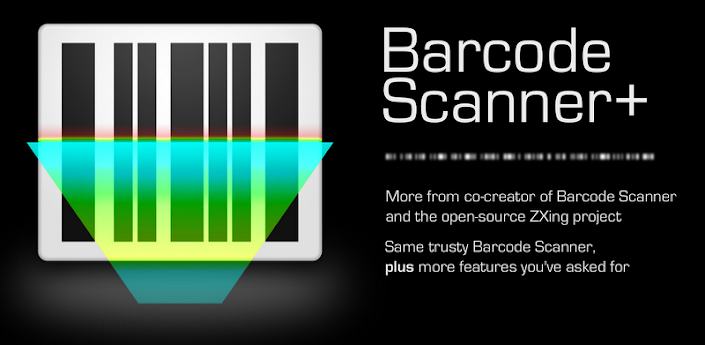
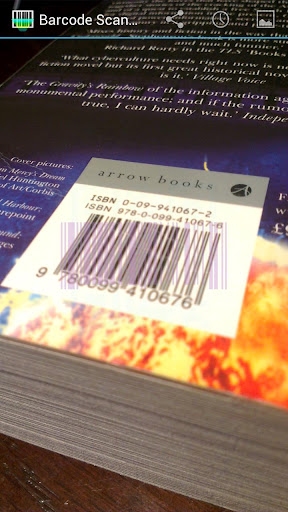
Barcode Scanner+, from Sean Owen of ZXing Team, uses the camera on your device to read barcodes of all kinds. After scanning barcodes you find on products, for example, you can discover prices and reviews for it. Or, when scanning newer two-dimensional barcodes, like QR Codes, you can access contact information, bookmarks, web site links and more inside.
Barcode Scanner+ is an enhanced version of the popular, free Barcode Scanner application, which is a product of the ZXing open-source barcode scanning library from Google. Barcode Scanner+ is based on the same code, and has been developed by one of the two primary authors of the original Barcode Scanner, Sean Owen.
Barcode Scanner+ includes all of Barcode Scanner's functionality, and is intended as a drop-in replacement for Barcode Scanner. It adds several enhancements:
Better barcode scanning
- New image processing algorithm for detection of 1D barcode formats, including UPC and EAN product codes
- Uses both cores of dual-core processors
- Optionally, scan for Aztec and PDF417 barcodes (note: PDF417 support is 'alpha' quality)
- Rewritten to take advantage of Java 6, Android 2.2+ APIs, and latest Android SDK features
Refined user interface
- Now scan in tall "portrait" orientation, in addition to "landscape" orientation
- More intuitive pattern-based scanning guide
- Streamlined and improved user interface elements
- Android 4 and tablet device support
- Expanded Help screens
New features
- Decode a barcode from an image file
- Option to scan light-on-dark barcodes
- Activate device's LED light to scan in low light
- Basic support for scanning NFC tags
Also available in "simple" version, without functionality that requires special permission. See "Barcode Scanner+ Simple".
Purchasing this application also supports development of the ZXing open-source barcode scanning library.
Barcode Scanner+ does not collect, store or transmit information about its users, nor usage of the application. The application accesses personal information such as contacts and bookmarks only in order to implement application functionality, such as sharing contacts and bookmarks by QR Codes on screen.
(aka Barcode Scanner Plus)

What's in this version : (Updated : Jul 6, 2013)
Amazon product information
Updates from ZXing 2.2, including updated PDF417 support

More Info:

Code: https://play.google.com/store/apps/details?id=com.srowen.bs.android

Download Instructions:

Barcode Scanner+ (Plus) v1.…zip (3,45 MB) - uploaded.net

Mirror:

Barcode Scan…zip (3,45 MB) - cloudzer.net


WP7Contact v1.4.3

WP7Contact v1.4.3


The Pro version has no ads in current version.
I will add other features in the paid version.
If you want to try, go download the free version.
https://market.android.com/details?id=m ... inicontact
Support Languate
Czech ( translation by Marek Jura?ka).
French ( translation by Johan Jaworski).
Polish( translation by Micha? Jastrz?bski).

More Info:

Code: https://play.google.com/store/apps/details?id=milkmidi.minicontact.pro

Download:

http://www.apk-z.com/xjvjjubcw3wx
http://androviola.com/c30xh4q6m4ud/WP7Contact_v1.4.3.apk.htm


AndroZip™ Pro File Manager v4.6.5

AndroZip™ Pro File Manager v4.6.5
Requirements: 2.1 and up
Overview: #1 ZIP application and first Android archive is with you since beginning of 2009. Android File Manager helps you copy, delete, move, unzip/unpack, compress, search, and organize your files, music, pictures, and folders just like you would do on your PC. Frequently updated with new and useful features.

AndroZip™ Pro File Manager v4.6.5
AndroZip™ Pro File Manager v4.6.5 AndroZip™ Pro File Manager v4.6.5

With over 7 million downloads and its support of ZIP, encrypted ZIP, RAR, TAR, GZIP and BZIP2.AndroZip File Manager is definitive leader among similar applications on the market.
Besides the archive functionality it also lets you send files, e.g. via email.
Optimized specifically for both, phone and tablet displays. Due to many added features like drag and drop functionality, AndroZip File Manager is preferred among tablet users.
Use it also to back up your applications and install new application APK on your phone, and manage phone memory and resources via task manager.
Installs to SD card.
********************************
What others say about AndroZip
"AndroZip comes to the rescue, providing a file explorer, task manager, archive manager, app backup tool, and more, all within a simple and intuitive interface." (PCWorld, MacWorld and Washington Post had same review)
“Of all the file managers I have tried for the Android platform, the one that stands heads above the rest is the free AndroZip File Manager...“(Jack Wallen, TechRepublic)
“Just like winzip or winrar” (Eric, AndroZip user)
***************************
Work with archives: ZIP, RAR, GZIP, TAR, BZIP2
Create ZIP,TAR,GZIP
File manager (single/multiple)
Task killer, Search, application manager
Install apps: APK files
Short tap and long tap menus
Send files via mail

New features in the upcoming version!
What's in this version: (Updated : Jul 7, 2013)
Footer with number of folders/files and free/total amount of space
other fixes

More Info:

Code: https://play.google.com/store/apps/details?id=com.asrazpaid

Download Instructions:

AndroZip? Pro File Manager …rar (3,20 MB) - uploaded.net

Mirror:

AndroZip? Pr…rar (3,20 MB) - cloudzer.net


PDF Max: The #1 PDF Reader! v1.0

PDF Max The #1 PDF Reader! v1.0

It was designed for those people who?re looking for a full-featured, touch-based optimization & professional PDF application. It provides all features you need for an everyday PDF app in one place so that you do not need to spend extra money for other apps.
PDF Max features include:
[PROFESSIONAL PDF READER]
TEXT REFLOW: PDF Max includes an Amazing Text Reflow feature that helps you read your PDF easily with any kind of PDF. Forget the tedious pan & zoom steps, you now just enjoy reading your documents.
TEXT TO SPEECH: Don't keep your eyes on the screen all the time, Let the superb TTS feature in PDF Max does the work: It read PDF documents for you.
FAST RENDERING: PDF Max equips a super-fast rendering engine worked smoothly on all Android Phones/Tablets with Android 2.2 or newer.
FAST SCROLLING: PDF Max is the best PDF app that allows continuous vertical scroll through an entire document. You can also set the option to view one page at a time, it's your choice.
SMART ZOOM: Double-tap on text blocks and PDF Max will zoom the touched text block to fit the screen. Simple & efficient reading.
UI & NAVIGATE: The Navigation Panel lets you interact with your documents by thumbnails, bookmarks, annotations, PDF outline, Search or other common actions.
LARGE PDFs: PDF Max opens large PDFs easily without any problem. The maximum file size is only depending on the file size supported by the device itself.
[FULL-FEATURED PDF ANNOTATOR]
TYPE ON YOUR PDF:
PDF Max lets you insert text into your PDF by creating FreeTexts (a.k.a TypeWriter).
DRAW WITH YOUR FINGER:
Use your finger or a stylus to take handwritten notes or highlight text in books, whether normal PDF or scanned. Eraser is of course also included to help you correct and refine your handwriting.
MARK UP TEXT:
Mark important things in books, journals or documents using Highlight, Underline, Cross-out and Squiggly tools.
CREATE NOTES AND CONVERSATIONS:
Add comments anywhere in the document. PDF Max even supports thread-conversations to help you collaborate with others like never before.

DRAW ANY SHAPE:
Draw, position and resize a multitude of shapes, including Rectangles, Lines, Ovals, Polylines, and Polygons with intelligent snapping.
MANAGE PDF PAGES, BOOKMARKS:
You can reorder pages, insert blank pages and even delete PDF pages. PDF Max also supports manage PDF Bookmarks.
[EASY TO USE AND POWERFUL FILE MANAGER]
Manage your own PDF library or all your PDFs on your devices easily with an intuitive File Management Interface. Dropbox is supported, more storages will be supported in the next updates.

More Info:

Code: https://play.google.com/store/apps/details?id=com.mbr.camellia

Download:

http://www.apk-z.com/cdafakt1k4a5
http://androviola.com/5b4406nge5i0/PDF_20Max_2010.apk.htm